Dane Poyzer

On this page11 sections
Why do you have ten things on the go and nothing finished? Because nothing stops you starting the eleventh. Every new job feels small when you pick it up, so you pick it up. A week later you're juggling all of them, and none is close to done.
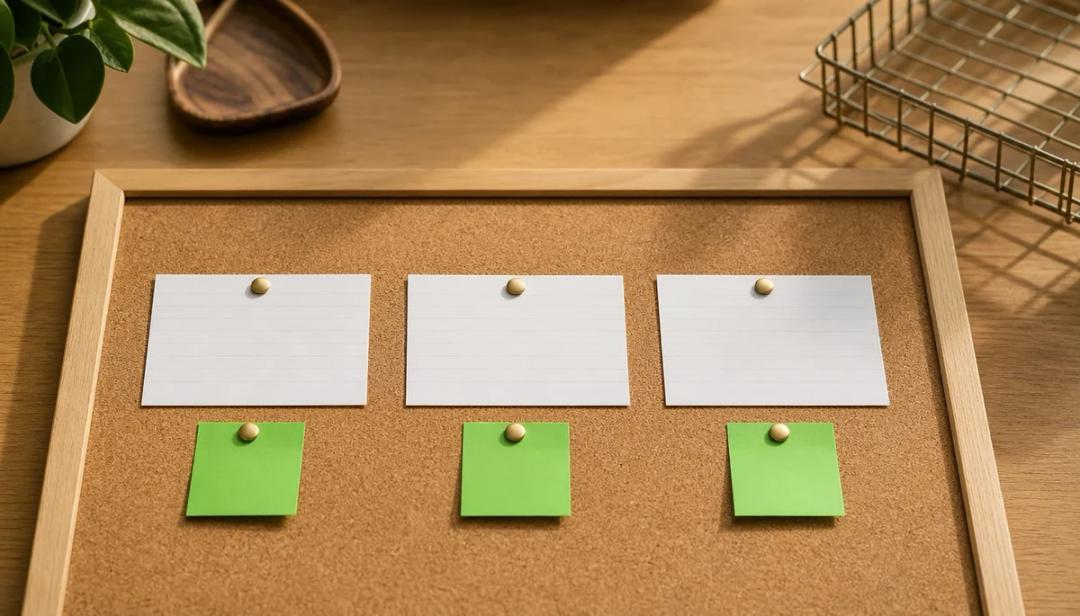
Personal kanban gives you the thing that's missing: a limit. Put your jobs on a board with three columns, To do, Doing and Done. Then decide how many jobs Doing can hold, say three. When Doing is full, a new job waits until something finishes. The board shows you the work. The limit makes you decide what gets into Doing.
Personal kanban at a glance
- What it is: a board with To do, Doing and Done columns, plus a cap on how many jobs can be in Doing at once.
- What you need: a wall, a whiteboard or a sheet of paper, and sticky notes. An app works too.
- The two rules: make your work visible, and limit your work in progress.
- The move: the limit, not the board. A full Doing column means finish something before you start something.
- Who it helps: anyone with lots of half-started jobs and few finished ones.
Where it comes from
Personal Kanban: Mapping Work | Navigating Life by Jim Benson and Tonianne DeMaria Barry (Modus Cooperandi Press, 2011) set out the method for individuals. The authors' own site describes it as "built on two simple rules: visualize your work and limit your work-in-progress".
The word comes from manufacturing. Kanban is Japanese for "sign" or "signboard". Around Toyota City, kanban cards authorised the making or moving of parts, so work was pulled through when it was needed rather than piled up in advance. Personal kanban borrows that idea, that new work only starts when there's room for it, and applies it to your own jobs. It isn't the factory system, and you don't need to know anything about manufacturing to use it.
How to set up a personal kanban
- Draw three columns. Label them To do, Doing and Done. The authors' site also calls the first column Options, which is a useful reminder: these are jobs you could do, not jobs you've promised to do today.
- Put every job on its own card. One sticky note per job, written as something you can finish, like "Send the boiler quote" rather than "Boiler".
- Move what you're working on into Doing. Be honest. If you've started it and it isn't finished, it's in Doing, even if you haven't touched it for a week.
- Set a limit for Doing. The authors' site suggests 2 to 3 for one person. Write the number at the top of the column.
- Pull, don't push. When you finish a job, move it to Done. That frees a slot, and only then do you pull the next card from To do.
That's the whole method. The board can be as plain as you like.
Why the limit is the move, not the board
A board without a limit is a to-do list with better stationery. You can see everything, which helps, but nothing stops you moving a fourth, fifth and tenth card into Doing. You end up back where you started, with a column full of half-finished jobs.
The limit changes the question you ask. Without it, the question is "what else could I start?" With it, the question is "what will I finish, so I can start something else?" That question puts finishing ahead of starting.
It also makes the trade-offs visible. When a new job turns up and Doing is full, you have to choose. You can finish a job first, or move one back to To do on purpose. The authors' advice is not to pull new work "until something finishes or you deliberately remove or renegotiate an item". Either way, it's a decision you make, not a pile that grows by itself.


What to do when Doing is full
- Finish the one closest to done. Often there's a job that needs ten more minutes. Finish it and the slot is free.
- Move one back on purpose. If a job has stalled, put it back in To do. It isn't a failure; it's being honest about what you're working on.
- Make it smaller. If a card has sat in Doing for days, it may be too big to finish. Split it into the next step and put the rest back.
- Park what's waiting on someone else. Some boards add a Waiting column for jobs you can't move until someone replies. Keep it short, or it becomes a second Doing.
A worked example
Here's a made-up example. Priya has a week off work and a long list of jobs at home. By Wednesday, she's started all of these:
- Clear out the garage
- Fix the wobbly shelf
- Sort the photos from the summer
- Renew the car insurance
- Repaint the back door
- Plan Jess's birthday
None is finished. So she draws a board, moves every card into the column it really belongs in, and sets her Doing limit to three. Six cards won't fit, so she keeps the three that matter most this week: the car insurance (it's due Friday), the birthday plan and the shelf. The garage, the photos and the back door go back to To do.
Priya spends twenty minutes fixing the shelf, then moves it to Done and pulls the next card, the back door. The insurance is renewed by Thursday. The garage is still in To do on Sunday, and that's fine: it's waiting its turn rather than sitting half-done across the whole week.
How to choose your limit
Start with three. It's within the 2 to 3 the authors' site suggests for one person, and it's easy to remember.
Then watch what happens for a week. If you're often stuck waiting on every job in Doing, try four. If jobs still sit in Doing for days, try two. The right number is the one that keeps cards moving into Done. You'll learn more from adjusting the limit than from getting it perfect on day one.
Common mistakes
- No limit. Without one, the board shows your work but puts no cap on how much you start.
- Hiding work. A job you've started but left off the board still takes up room in your head. If it's started, it goes in Doing.
- Cards too big to finish. "Sort the house" never leaves Doing. Write cards you can finish in a sitting or two.
- Breaking the limit for "quick" jobs. Quick jobs are how Doing fills up. Quick jobs count towards the limit too: finish or deliberately park a job before you start one.
- Never looking at Done. The Done column is the record of what you've finished. Glance at it at the end of the week.
How to do personal kanban in dypt
dypt is a task planner, not a board app, so it doesn't have kanban columns. But you can keep the part that matters, the limit on Doing, with a tag and a filter.
- Make a
doingtag. Add it to each job you're working on. Your other open tasks are your To do column, and ticking a task off is Done. - Filter by
doing. Open the all-tasks view and filter by thedoingtag to see only your Doing jobs. If there are already three, finish one or take the tag off one before you add another. - Let status show what you've started. When a job has subtasks, dypt marks it in progress as soon as some are done. Now and then, clear the tag filter and use Status → in progress to review partly done jobs, and decide which still belong in Doing.
- Split stuck jobs. If a
doingtask won't finish, use AI task breakdown to split it into smaller steps, and keep only the next one in Doing. - Give a stuck card a timebox. From our Do the thing videos: if a job in Doing keeps growing, give it a fixed amount of time and judge what you have when it's up. See our timeboxing guide.
See custom tags for more on creating and filtering tags.
Try it this week
Draw three columns, put every job on a card, and set your Doing limit to three. When Doing is full, finish one or move one back on purpose before you start another.
If you'd like your jobs, their next steps and your Doing limit in one place, try it in dypt, free to start.
Next in our Do the thing videos: task batching, for grouping similar small jobs into one session.
Sources and further reading
- Personal Kanban, "Personal Kanban"
The two rules, the columns and the 2 to 3 limit for individuals, from Jim Benson and Tonianne DeMaria Barry's site. - Jim Benson and Tonianne DeMaria Barry, Personal Kanban: Mapping Work | Navigating Life (Modus Cooperandi Press, 2011)
The book that set out the method. - Lean Enterprise Institute, "Kanban"
What kanban means in manufacturing, and how the cards were first used around Toyota City. - Pomodoro vs time blocking vs timeboxing
How a timebox caps the time a job gets. - How to break down large tasks
Making a big job small enough to finish.