Dane Poyzer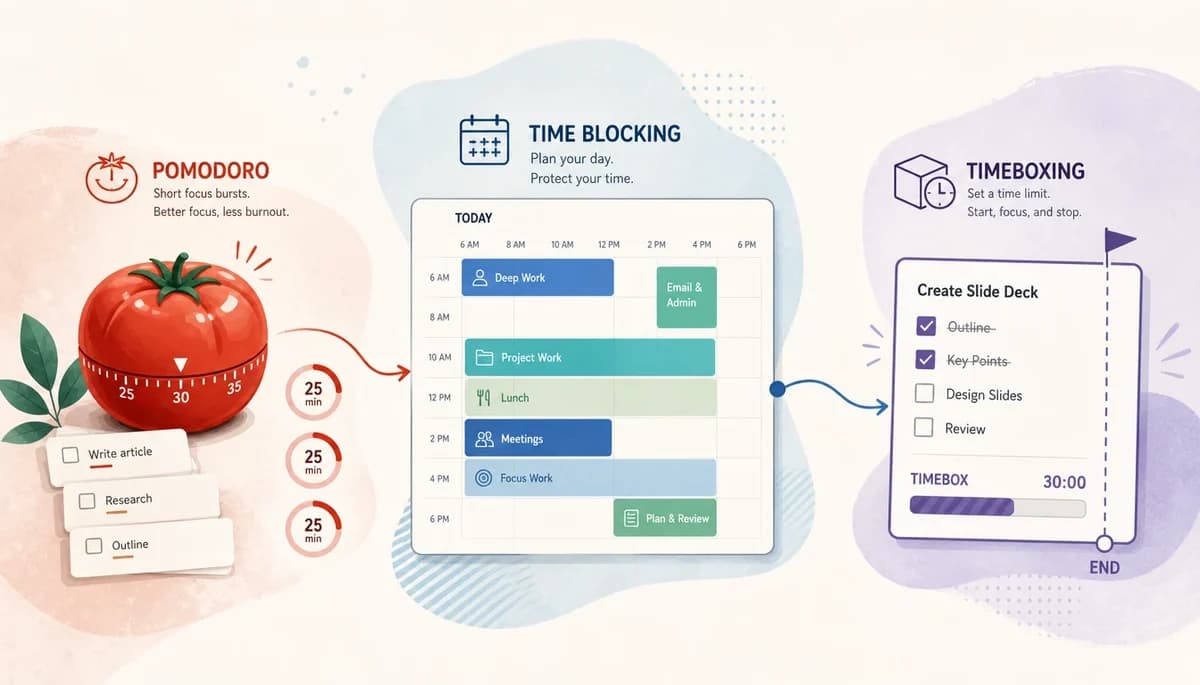
On this page8 sections
You do not need one perfect system for managing your day. You need to know whether your main problem is starting work, protecting time for it, or stopping it from spreading into everything else.
That is why Pomodoro, time blocking, and timeboxing are worth comparing side by side. If your task list feels vague, your calendar keeps getting hijacked, or a big project makes you freeze, the right method can make your next step clearer without making your whole setup rigid.
Quick answer
Use the Pomodoro technique when starting is the hardest part, time blocking when your day needs a clear shape, and timeboxing when tasks sprawl or perfectionism eats your time. The real Pomodoro Technique vs time blocking vs timeboxing decision is usually about whether you need help to begin, to schedule, or to stop.
Most people do best with a mix rather than one camp. If you came here asking which prioritization method should I use, this is slightly different: these methods decide when and for how long you work, not what matters most.
At a glance
| Method | Main purpose | Best use case | Strengths | Weaknesses | Best dypt fit |
|---|---|---|---|---|---|
| Pomodoro Technique | Help you start and stay focused in short bursts | Distracting work, task paralysis, studying, admin | Low friction, easy to begin, gives frequent reset points | Can feel choppy for deep work, fixed intervals do not suit every task | Break big tasks into small next actions, add estimates, track progress through subtasks |
| Time blocking | Give your day a planned shape in the calendar | Busy days, mixed responsibilities, context switching, planning around meetings | Makes trade-offs visible, protects focus time, helps you plan realistically | Easy to overplan, can break when the day changes, needs review | Use priorities, deadlines, reminders, and time estimates to decide what goes in each block |
| Timeboxing | Put a hard limit on how long a task gets | Perfectionism, open-ended work, planning sessions, routine admin | Stops work expanding, encourages decisions, useful for rough or unclear tasks | Can leave work unfinished, quality may dip if the box is too tight | Set realistic time limits, compare estimates with actual time, refine future boxes |
The Pomodoro technique


The Pomodoro technique means working in short, timed focus sessions with short breaks between them. The classic version is 25 minutes on and 5 minutes off, often linked to Francesco Cirillo, but the exact numbers matter less than having a clear start and stop.
This works best when you already know what to do but cannot quite make yourself begin. It is also useful when you get distracted easily, feel swamped by a large task, or need a gentle structure without planning your whole day in advance.
A short timer lowers the mental cost of starting. Saying “I only need to do 25 minutes” often feels much easier than saying “I need to finish this whole thing”.
Watch-outs:
- It can interrupt deep work just as you are getting into flow.
- Repeating timers can feel artificial if your work needs long stretches of thinking.
- It works much better when the task is already small enough to fit into one short session.
Time blocking


Time blocking means assigning parts of your day to specific kinds of work. You might block time for writing, calls, planning, email, or focused project work so your day has a shape before other things claim it.
This suits you well if your day is pulled in different directions by meetings, family life, errands, or shifting priorities. It is especially useful when important work keeps losing to whatever feels urgent in the moment.
The big strength here is visibility. Once your day is on the calendar, trade-offs become clearer, and you can see whether your plan actually fits the hours you have.
Watch-outs:
- It can create a false sense of control if your day is highly unpredictable.
- Blocks that are too detailed are fragile and often collapse after the first interruption.
- It works badly if you keep planning with unrealistic estimates and never review what really happened.
Timeboxing


Timeboxing means giving a task a fixed amount of time and stopping when that time ends, even if the task is not fully finished. The key difference from time blocking is simple: blocking reserves time in your day, while timeboxing sets a limit on the task itself.
This is a strong fit for work with fuzzy edges, such as research, inbox clearing, planning, editing, or admin. It also helps if you tend to polish details long after the result has stopped improving in any meaningful way.
Timeboxing is useful because many tasks will happily absorb every spare minute you give them. A defined box forces decisions and helps you move on.
Watch-outs:
- A tight box can create stress when the task genuinely needs more thinking time.
- You may stop at an awkward point, so you need a quick note about what comes next.
- It is less helpful when quality depends on long, uninterrupted concentration.
Which should you choose?
- If starting is your main problem, begin with the Pomodoro technique. It turns a vague task into one short commitment and helps you get moving.
- If your day keeps filling up before important work happens, choose time blocking. It helps you protect time instead of hoping it appears on its own.
- If you often spend too long on planning, email, research, polishing, or low-value admin, choose timeboxing. It gives open-ended tasks a boundary.
- If you manage large projects, combine them. Use time blocking to protect a session, timeboxing to limit one part of the work, and Pomodoro intervals inside that session if your focus starts to drift.
- If you want productivity framework examples that are practical rather than abstract, this is a good place to start. These methods are often more useful as tools you combine than as strict systems you must follow exactly.


How dypt helps with any of these methods
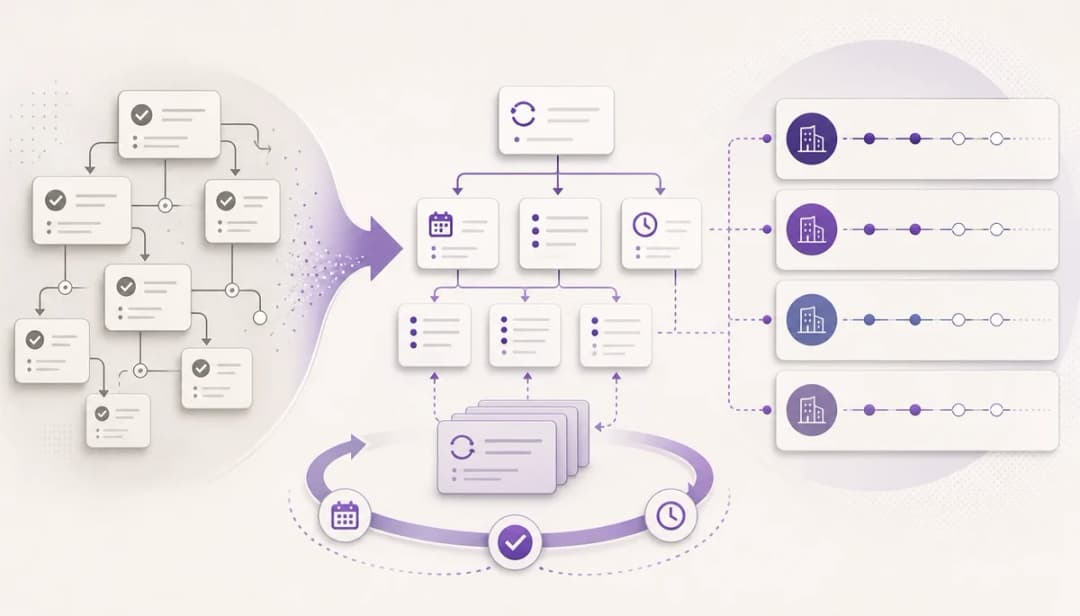
The hard part often happens before the timer or calendar starts. If a project is still fuzzy, dypt helps you break it into smaller tasks and subtasks, and AI task breakdown can suggest next actions or rough starting points when you feel stuck.
That matters for all three methods. A Pomodoro session needs a clear target, a time block needs realistic content, and a timebox needs a task with edges.
dypt also helps you decide what deserves your time now. Priorities, deadlines, reminders, status, and time tracking and AI estimates make it easier to choose what belongs in a block, what needs a box, and what is small enough for one focused sprint.
If you build planning rituals, you can keep those in one place too. Weekly review blocks, daily planning boxes, and repeatable routines do not need to be rebuilt from scratch each week when they live in the same system as the work itself.
If you want to try that setup for yourself, Start using dypt for free. You can shape your work into clear next steps without losing the bigger picture.
Wrapping up
There is no universal winner here. The best method is the one that solves your current bottleneck: starting, scheduling, or stopping.
Pick one method and test it for a week. Then review what felt easier, what still dragged, and adjust from there.
If you want one place to break down work, estimate it, and shape it into workable sessions, Explore dypt.