Dane Poyzer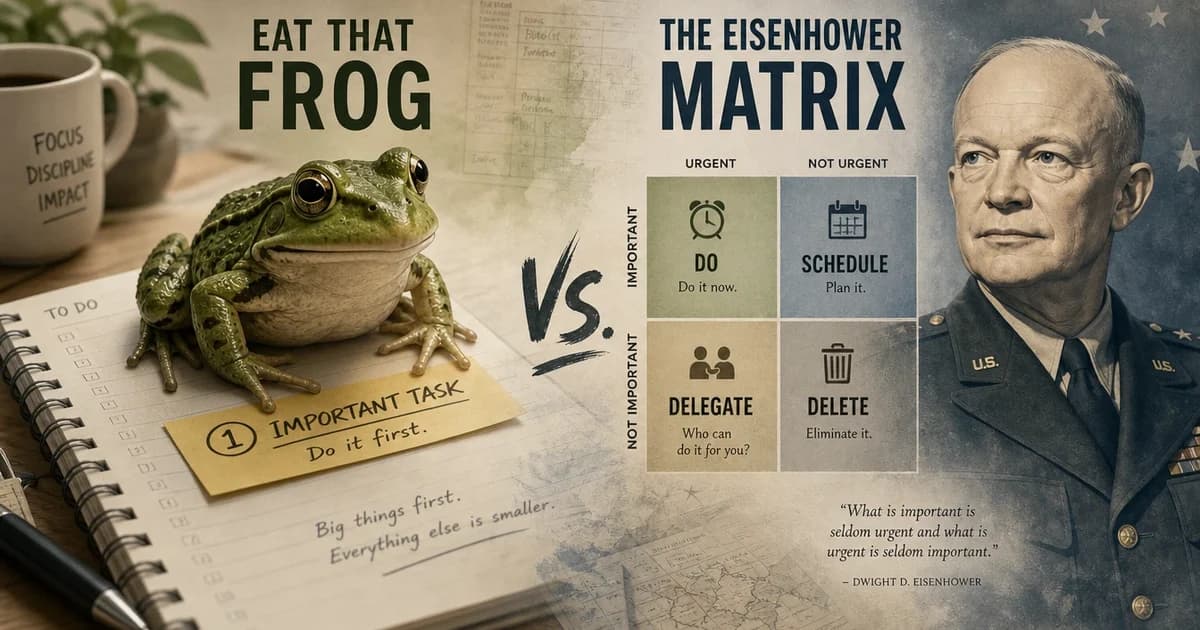
On this page6 sections
When everything feels urgent, the problem is not always motivation. Sometimes you need a sorting method. Sometimes you need a starting method.
The Eat the Frog method and the Eisenhower Matrix solve different parts of that problem. Eat the Frog helps you pick one hard, important task and start it before easier work steals the day. The Eisenhower Matrix helps you sort a messy list by urgency and importance before you choose what to do.
That difference matters when your priorities clash, your day keeps getting hijacked, or you freeze because too many tasks seem urgent at once. If you pick the wrong tool, you can end up organising forever without starting, or forcing yourself into the wrong task without enough clarity.
If you already know what matters most but keep putting it off, start with Eat the Frog. If your real problem is that every task is shouting at once, start with the Eisenhower Matrix. If you need both clarity and momentum, use the matrix first, then choose one frog from the important work.


| Method | Use it when | It gives you | Watch out for | Best dypt fit |
|---|---|---|---|---|
| Eat the Frog | You know the important task but keep avoiding it | One clear starting point | Choosing a vague or low-value frog | Deep subtasks, AI task breakdown, time estimates |
| Eisenhower Matrix | Your list feels crowded, reactive, and hard to rank | A way to separate urgency from importance | Sorting forever instead of starting | Priorities, deadlines, reminders, recurring tasks |
If you want to try both methods in one place, dypt works well because you can sort work with priorities and deadlines, then break the chosen frog into subtasks small enough to start.
When Eat the Frog works best
Eat the Frog is simple: choose the most important task, or the one you most want to avoid, and do it first. The idea is often linked to Brian Tracy's book Eat That Frog!, but the useful part is the habit itself: meaningful work before busywork.
This method works well when you already know the right next step but still cannot make yourself begin. It is a strong fit for writing, planning, job applications, uncomfortable admin, or the first chunk of a big project that keeps hanging over you.
It is especially helpful when avoidance is the main problem. If you keep tidying your inbox instead of doing the thing that really matters, the frog gives you a direct route into the work.
Watch-outs:
- It works badly if your frog is still vague and needs breaking down first.
- It can push small but real deadlines out of view if your day includes urgent commitments.
- It can create guilt if you label every hard task as the frog without checking whether it is truly important.
For a deeper explanation of the method itself, see our guide to the Eat the Frog method for task prioritisation.
When the Eisenhower Matrix works best
The Eisenhower Matrix sorts tasks into four groups: urgent and important, important but not urgent, urgent but not important, and neither. It is useful because it reminds you that loud tasks are not always the valuable ones.
This method works best when your list is crowded and reactive. If meetings, follow-ups, messages, chores, and deadlines all compete for your attention, the matrix helps you see what to do now, what to schedule, what to delegate, and what to drop.
It is also useful when quiet but important work keeps getting bumped. Planning, preventative admin, long-term projects, and relationship maintenance often sit in the important-but-not-urgent bucket until something goes wrong.
Watch-outs:
- It can feel too neat when your tasks are fuzzy, emotional, or buried inside larger projects.
- It does not always tell you the exact next action once a task lands in the important category.
- It can turn into a sorting exercise if you keep categorising and never start doing.
For the full four-quadrant breakdown, read our guide to the Eisenhower Matrix for prioritisation.
A quick example: when everything feels urgent
Imagine your list contains these tasks: finish a client proposal, reply to five messages, book a dentist appointment, prepare next month's roadmap, chase an overdue invoice, and sort a tax document you have avoided for weeks.
The Eisenhower Matrix helps you separate them. The client proposal may be urgent and important. The roadmap may be important but not urgent. Some messages may be urgent for someone else but not important to your day. The dentist appointment may be a quick admin task, while the tax document may be important but avoided.
Eat the Frog then helps you choose the first move. If the client proposal is the task that matters most and you keep avoiding it, your frog might not be “finish proposal”. That is too big. A better frog is “draft the opening section” or “create the proposal outline”.
That is the practical difference: the matrix helps you decide what deserves attention, while Eat the Frog turns that decision into one task you can start.
Eat the Frog or the Eisenhower Matrix: which should you choose?
Pick Eat the Frog if:
- You already know your key task and your real problem is avoidance.
- You need one clear starting point rather than a full sorting system.
- Your day has some protected time before reactive work takes over.
Pick the Eisenhower Matrix if:
- Your task list feels crowded and every item seems to be shouting.
- You keep reacting to deadlines, messages, and other people's priorities.
- You need to separate important work from mere urgency before choosing what to do next.
Use both together if:
- You need the matrix to clear the fog, then one frog from the important quadrant to get moving.
- ADHD, executive dysfunction, or task paralysis means you need both a decision tool and a very simple first action.
- Your projects are large enough that sorting and starting are two different problems.
How dypt supports both without taking over
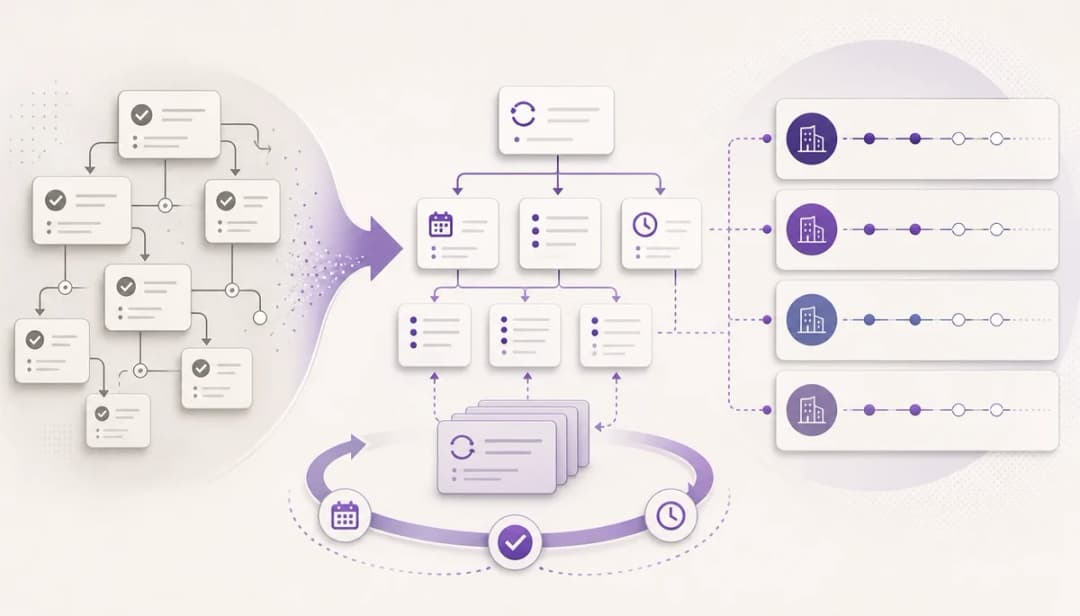
If you want to use Eat the Frog, dypt helps you turn one scary task into something you can actually start. You can build it as a parent task, split it into smaller steps with Deep task hierarchies and subtasks, use AI task breakdown when you are stuck, and add a time estimate with Time tracking and AI estimates.
If you want to use the Eisenhower Matrix, dypt helps you keep urgent work visible without letting it swallow everything else. Priorities, deadlines, and reminders make timing and importance easier to review, while Recurring tasks stop routine work from disappearing until the last minute.
A practical setup in dypt looks like this:
- Add your urgent tasks under one parent task or project.
- Mark real deadlines, not every possible date.
- Use priority to show importance.
- Pick one important task as today's frog.
- Use AI task breakdown or manual subtasks to create the first small action.
- Add a rough time estimate so you know when it can fit.


See this example in dypt and copy it to get started quickly
The useful bit is that dypt supports the method without pretending to choose your values for you. It gives you one reliable source of truth across personal tasks, shared plans, and deeper project trees, while you still decide what matters most.
Wrapping up
Use the Eisenhower Matrix when you need to see clearly. Use Eat the Frog when you need to move.
If your list feels chaotic, sort it first. Then commit to the single important task you will start today, and make it small enough that you can begin without another round of overthinking.
If your tasks feel urgent and vague, start using dypt for free, add today's tasks, and use priorities plus AI breakdown to choose one clear next action.