Dane Poyzer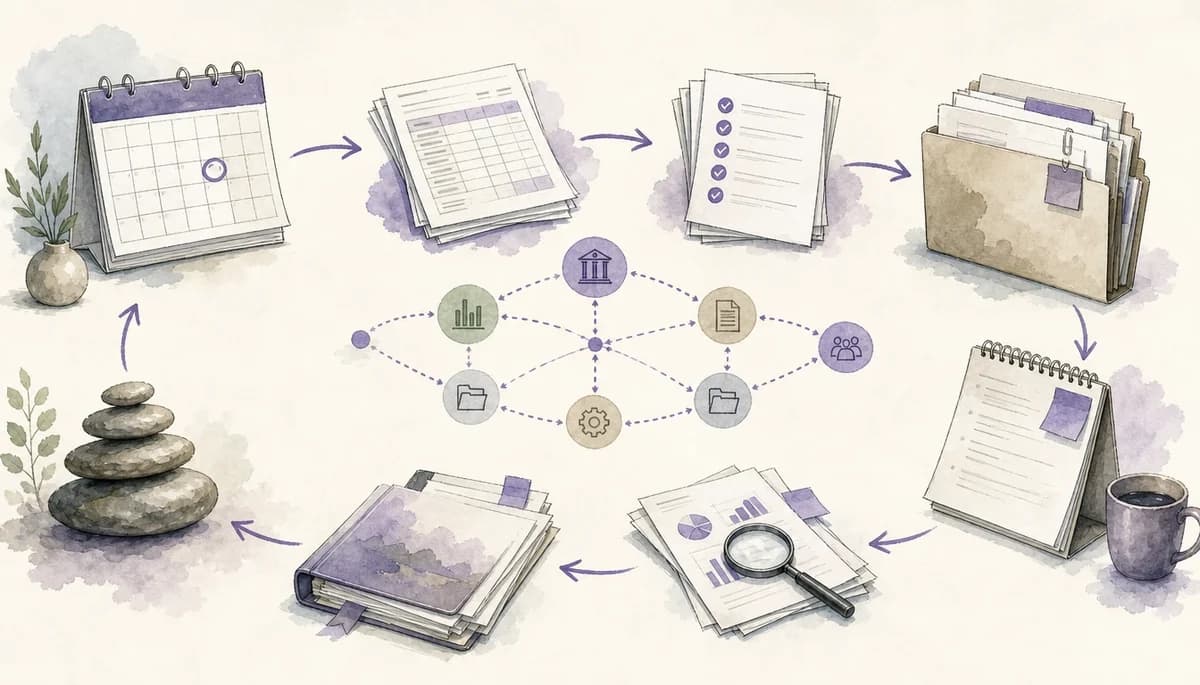
On this page14 sections
Part 1 of this series made the case for treating monthly close as a repeatable workflow, not a pile of copied tasks. This second guide covers the step before checklist building: mapping the real close process so the checklist you create next matches how the work actually happens.
If your monthly close still lives in copied spreadsheets, scattered notes, and memory, the checklist will keep letting you down. Before you build tasks, you need to see the flow of the work, including delays, handoffs, review points, and the parts that always cause last-minute stress.
This guide is beginner-friendly if you already understand your own close at a working level, and it should take about 60 to 90 minutes for a first pass. By the end, you should have a clear month end close process map that is ready to become a practical monthly close checklist in Part 3. That gives you a month end close process you can explain, a month end close workflow you can run, and a month end close checklist you can build later without guessing.
Prerequisites
- A working understanding of one monthly close routine you want to improve
- A clear reporting output to map toward, such as management accounts, a client pack, reconciled balances, or internal review notes
- Permission to use the relevant close records if they contain client, company, or team information
- About 60 to 90 minutes for a focused first pass
Materials & tools
- The last two or three completed closes for the same entity, client, or recurring routine
- Any existing month end close checklist, spreadsheet, calendar plan, working paper index, or close tracker
- Source documents that often drive timing, such as bank feeds, payroll reports, sales reports, inventory counts, and client submissions
- Notes, emails, review comments, or messages that show where the close actually paused or changed
- A place to map the process, such as dypt, a spreadsheet, a document, or a whiteboard
- Optional: a manager, reviewer, or colleague who can sense-check the map after your first draft
1. Review what actually happened last month
Start with evidence, not memory. Memory is tidy, but a real close rarely is.
Pull the last few closes into one place and scan for repeated steps, late items, review comments, and anything that blocked another task. You are looking for the lived version of your month end close process, not the ideal one you wish you had.
Mark items that repeated across two or more closes. Highlight late payroll files, delayed journals, recurring review questions, and any reconciliation that only moved once one specific person looked at it.
- Do not rely on one “good” month, because it can hide the normal bottlenecks.
- Do not skip email trails or chat notes, because handoffs often live there rather than in the formal file.
- Do not rewrite the process yet; just collect proof of what happened.
2. Define the boundary of the close
Next, decide what belongs inside this map. If you skip this, your close map will either be too vague to run or so wide that it becomes a general finance operations diagram.
Write down the start point, finish point, and scope in plain language. For example, your start point might be period end plus final sales import, and your finish point might be issued management accounts, reviewed reconciliations, and carry-forward notes saved.
Be specific about the entity, client, ledger areas, and outputs covered. If your close differs across clients, pick one standard example first and generalise later.
- Do not define “done” as “most tasks finished”; use a clear finish line.
- Do not mix multiple entities into one first draft unless they truly follow the same pattern.
- Do not include every ad hoc finance duty that happened near month-end.
3. Group the work into phases
Now step back from single tasks and look for chunks of work. This helps you see the shape of the close before you get lost in detail.
Create 5 to 8 broad phases with outcome-based names. A good phase tells you what should be true when that section is complete, such as data collected, reconciliations prepared, adjustments posted, or reporting pack drafted.
A simple month end close workflow often includes pre-close preparation, data collection and cut-off, reconciliations, journals and adjustments, review questions, reporting, and roll-forward notes. Keep the phase names practical enough that another accountant could follow the month end close workflow without your commentary.
- Do not start with a long task dump; phases come first.
- Do not name phases after people if the real goal is an outcome.
- Do not make one giant “review” phase if review happens throughout the close.


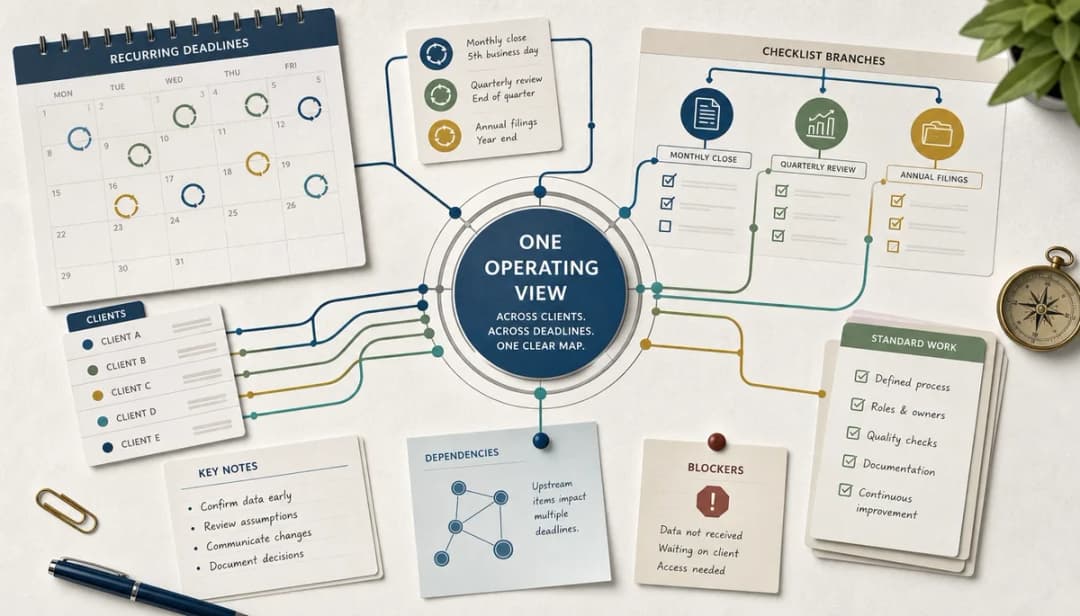
4. Map dependencies and handoffs
This is where the map becomes useful. A flat month end close checklist can show work items, but it often hides what has to happen first and where delays usually begin.
For each phase, note the inputs needed before it can start, the outputs it produces, and what other step depends on it. Then mark handoffs between people, systems, and clients, especially where work commonly pauses for a question or confirmation.
Use plain wording such as “wait for client payroll report” or “manager reviews unusual balances before final pack”. That is often more honest and more useful than pretending every review step is cleaner than it really is.
- Do not assume a task can start just because it appears early on the list.
- Do not hide review pauses; they are part of the process.
- Do not treat system imports and client responses as if they are under your direct control.
5. Note who moves each stage forward
Even in a small team, work stalls when nobody knows who is meant to act next. Your map should show responsibility clearly enough that a delay can be traced to the responsible person, a missing input, or a handoff.
Add a short responsibility note beside each phase or major step. Keep it simple: “finance prepares bank rec”, “client sends payroll file”, “manager reviews accruals”, or “founder checks final summary before sending”.
You do not need a formal RACI chart unless your organisation already uses one. In dypt, these notes can sit in task titles, descriptions, or notes until you turn the map into a reusable structure.
- Do not confuse reviewer with preparer.
- Do not hide responsibility inside a vague team label if one person usually drives the step.
- Do not over-engineer this part; clarity matters more than perfect structure.
6. Add timing and pressure points
Once you can see the sequence, add rough timing. You are not aiming for perfect forecasting; you are trying to spot where the close gets squeezed and where earlier preparation would help.
For each phase, capture the expected day, hard deadline, likely review window, and any step that usually takes longer than planned. Also mark tasks that can start before month-end, such as pre-close checks, template prep, or chasing regular client inputs.
This is the point where your month end close process stops being a diagram and starts becoming operational. You can see which tasks deserve reminders, which reviews need protected time, and which dependencies keep pushing the whole close late.
- Do not record timings only as “ASAP”; use dates, day numbers, or relative timing.
- Do not forget external deadlines such as client reporting dates or board packs.
- Do not treat all delays as urgent work; some are predictable pressure points you can plan around.


7. Record exceptions and recurring fixes
A useful map includes the clean path and the messy path. In most closes, the same exceptions appear often enough that they should be treated as part of the process.
Add short notes for recurring issues such as late stock counts, awkward intercompany balances, payroll coding questions, or journals that are easy to forget. Also note what evidence needs to stay with the work and what should roll forward into next month.
This is where dypt can help. Notes, subtasks, and reusable structure work better when the context stays attached to the exact part of the workflow that needs it.
- Do not bury recurring issues in a separate meeting note that nobody checks next month.
- Do not assume an exception is one-off if it happened in two or three closes.
- Do not record problems without a short note on what usually fixes them.
8. Test the map before you build the checklist
Before you turn this into tasks, read the map from start to finish as if someone else had to run it. If they cannot tell what starts the close, what blocks progress, where review happens, and what finished looks like, the map is not ready yet.
Ask a few simple questions. Can you follow the phases in order, see the main dependencies, spot the review checkpoints, and identify what should carry forward into the next cycle?
If the answer is no, tighten the wording now. It is far easier to fix a process map than to untangle a bloated month end close checklist after you have built it.
- Do not test the map only from your own point of view.
- Do not skip missing finish criteria, because that is how closes drift.
- Do not start building recurring tasks until the map feels stable.
Troubleshooting
- Problem: Your map turns into a huge list of tiny actions → Solution: step back and regroup the work into 5 to 8 phases first, then add detail only where dependencies or review points matter.
- Problem: Every task looks urgent → Solution: separate true deadlines from internal preferences, then mark which steps are blocked by external inputs and which can start earlier.
- Problem: Different clients follow different close patterns → Solution: map one representative close first, then compare the differences and build variants later.
- Problem: Review always causes delays but nobody knows why → Solution: record the exact checkpoint, usual reviewer, common questions, and evidence normally requested.
- Problem: You keep forgetting recurring adjustments → Solution: capture them as exception notes tied to the right phase, ready to become recurring tasks in the next build.
FAQ
-
Do you need software to map the close?
No. You can start in a spreadsheet, document, or on a whiteboard. The important part is making the sequence, dependencies, and review points visible. -
How detailed should the first map be?
Aim for phase level plus major steps, handoffs, and blockers. If you can explain the flow clearly, you have enough detail for a first draft. -
Should you map every entity at once?
Usually not. Start with one entity or client that represents a normal close, then adapt the structure for special cases. -
What is the difference between a map and a checklist?
A map explains how the close works. A month end close checklist turns that logic into reusable, trackable tasks that can be repeated each month. -
Where does dypt fit into this?
dypt works well once you want to turn phases into nested tasks, keep notes attached, set reminders, and reuse the structure as a recurring routine without rebuilding it each month.
Wrapping up
If you map the real close before building tasks, you give yourself a far better foundation for a repeatable month end close workflow. You can see the sequence, the blockers, the review points, and the finish line before they get buried inside a copied checklist.
That makes the next step much easier. When you build the checklist in Part 3, you will be turning a clear process into reusable tasks rather than trying to invent the process from memory.
Resources
If you want a quick starting point, use the copyable monthly close checklist, then adapt it to the process you mapped here. Use this map to keep the month end close process honest, the month end close workflow visible, and the month end close checklist focused on work that actually repeats. If you want to build that structure in software, look at Deep task hierarchies and subtasks, Recurring tasks, and Task notes.
When you are ready to turn your map into a reusable close system, start from dypt for accountants or browse the practical setup guides in the dypt docs.