Dane Poyzer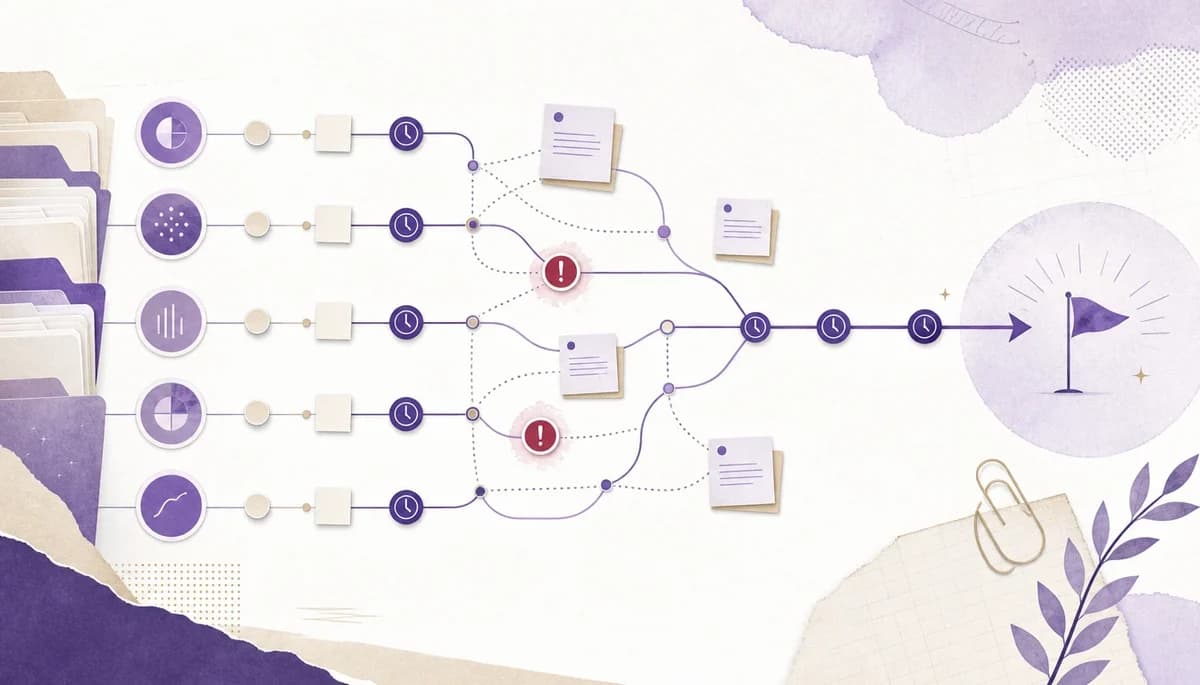
On this page9 sections
If you have followed the first three guides, you now have a clearer view of recurring accounting deadlines and a weekly review rhythm for keeping them moving. That is useful, but it does not solve the whole problem.
The next pressure point is blocked work. A payroll check is waiting on client data. A quarterly return cannot move until the bookkeeping queries are cleared. A management accounts pack is ready to draft, but only after review notes from another branch have been resolved. Nothing is technically forgotten, but the route through the work is still hard to see.
That is where notes and dependencies become part of accounting deadline management. Dates tell you when work matters. Notes explain what is happening. Dependencies show what needs to happen before another task can unlock.
This is Part 4 of the Managing recurring accounting deadlines series. Part 1 covered why accountants need one operating view, Part 2 showed how to build a reusable deadline tracker, and Part 3 covered the weekly review. This guide is about making blocked work visible before it quietly turns into deadline pressure.
1. Name the blocker before you add more process
A lot of accounting workflow friction starts with vague task states. A task says waiting, pending, review, or in progress, but nobody can tell what would actually move it forward.
Before adding more process, write down the blocker in plain language. For example:
- Waiting for client bank exports.
- Payroll figures received, but director query is unresolved.
- Bookkeeping clean-up must finish before the return can be prepared.
- Review note raised on supporting evidence.
- Prior-period adjustment needs a decision before the pack can be finalized.
This matters because a clear blocker turns a fuzzy delay into a next action. It is a small accounting deadline management habit that makes the whole portfolio easier to read. You are no longer asking, why is this not done? You are asking, what specific thing needs to happen next?
In dypt, this usually belongs directly on the task that is stuck. The task title can stay short, while the note carries the context. That keeps the weekly review readable without hiding the reason for delay.


2. Keep the reason for delay in the task note
When deadline context is split across emails, chat messages, spreadsheets, and memory, the same question gets rediscovered again and again. Why are we waiting? Who last chased it? What evidence did we already check? What was the decision last time?
A task note is where that context should live. It does not need to become a long file note. The useful version is brief, current, and attached to the work it explains.
For recurring accounting work, a strong task note might include:
- What is missing.
- When it was last requested.
- The latest client response.
- Any assumptions made.
- The next follow-up date.
- Review points or checks already completed.
- Links or references to supporting material where appropriate.
The benefit is not just tidiness. For accounting deadline management, it changes how your review works. Instead of scanning a list and then opening five other tools to reconstruct context, you can see the deadline, the blocker, and the next action together.
That is especially useful when you are reviewing work across many clients. One blocked item is manageable. Ten blocked items across payroll, returns, accounts prep, and reporting work become risky unless each one explains itself.
3. Use dependencies where one task genuinely unlocks another
Dependencies are most useful when one task cannot sensibly move until another task is done. They are not a replacement for every ordering decision, and they should not be added just because two tasks are related.
Use a dependency when the relationship is real:
- The accounts pack cannot be drafted until bookkeeping queries are resolved.
- A return cannot be reviewed until supporting schedules are complete.
- A client follow-up cannot be closed until the requested evidence has arrived.
- A filing step should not start until the review branch is complete.
- A recurring monthly task should wait for a separate client onboarding branch to finish.
This is where dypt's dependency feature is a good fit. You can link tasks across tree nodes, so the work that unlocks a deadline does not have to sit inside the same branch. If the blocker lives in another client-work tree or a separate review branch, the dependent task can still show what it is waiting for.
That helps you avoid two common problems. First, you do not have to duplicate the same blocker in multiple places. Second, you can see what needs to unlock a task without flattening your whole accounting workflow into one giant list.


4. Keep client chases and review context beside the deadline
Client chases often look small until they are spread across a whole portfolio. One missing statement, one payroll clarification, one unsigned document, or one unresolved query can be harmless in isolation. Across a week, they become the work.
The mistake is treating chase work as separate from deadline work. If the chase is what unlocks the deadline, keep it connected to the task that depends on it.
A practical setup is:
- Put the recurring deadline on the parent task.
- Add a subtask for the client input or review point.
- Record the latest context in the note.
- Add a follow-up date or next action.
- Link dependencies where another branch must complete first.
This makes the deadline tracker more honest. It turns accounting deadline management into more than a calendar of due dates. It is a live view of what is actually stopping the work from moving.
That distinction is important for accountants because deadline pressure often arrives through indirect work. The statutory date may still be weeks away, but the client-input date is now. If you miss the smaller unlock step, the final deadline becomes harder than it needed to be.
5. Use note templates for repeated accounting updates
Not every note should start from scratch. Accountants often write the same kinds of updates repeatedly:
- Missing information requested.
- Review query raised.
- Evidence checked.
- Client response received.
- Follow-up needed.
- Roll-forward improvement identified.
dypt's note templates are useful here because they let you save common note structures and apply them across clients or branches. That keeps updates consistent without turning every task into admin work.
For example, a simple missing-information note template might include:
- Missing item.
- Why it is needed.
- Requested from.
- Requested on.
- Next chase date.
- Deadline affected.
A review-query template might include:
- Query raised.
- Source or schedule affected.
- Decision needed.
- Current assumption.
- Next action.
The point is not to create bureaucracy. The point is to make repeated accounting communication easier to capture in a consistent way, so your future review does not depend on memory.


6. Review blocked work across the whole portfolio
Once blockers are named, notes are current, and real dependencies are linked, your weekly review gets sharper. You are no longer just asking what is due soon. You are asking what is blocked, what is waiting on someone else, and which blocked tasks threaten the most important deadlines.
A useful review sequence is:
- Open the recurring deadline tracker.
- Scan due-soon tasks first.
- Filter or scan for blocked or waiting work.
- Open each blocked task and read the note.
- Check dependencies for the actual unlock step.
- Decide whether to chase, defer, unblock, or roll forward.
- Update the note so the next review starts from the latest truth.
This is where portfolio-level control shows up. You can see that three clients are waiting on similar evidence. You can spot that several deadlines are blocked by the same internal review branch. You can find the work that looks quiet but is actually becoming urgent.
Without that view, accounting deadline management becomes reactive. With it, you can spend more of your attention on the unlock steps that matter.
7. Turn repeated blockers into next-cycle structure
A blocker that happens once may just need a note. A blocker that happens every cycle probably needs a better template.
After each deadline cycle, look for repeated friction:
- Which client inputs were always late?
- Which review notes appeared again?
- Which dependencies were missing from the task tree?
- Which supporting notes did you wish existed earlier?
- Which branch needed a clearer next action?
Then improve the reusable structure. Add a new subtask. Update the note template. Link a dependency earlier. Add a reminder before the actual deadline pressure starts.
This is where the series connects back to recurring work. The tracker should not simply help you survive the current week. It should make the next cycle easier because the process now reflects what actually happened.
That is also why this does not need to become a heavy practice-management system. If the current pain is recurring deadlines, hidden blockers, and scattered context, a lightweight workflow system with notes, dependencies, recurring tasks, and reusable task trees can solve a lot of the operating problem.
Wrapping up
Dates tell you when work is due, but they do not explain why work is stuck. Good accounting deadline management needs both the date and the reason work cannot move yet. For accountants managing recurring client deadlines, that missing context is often the real source of stress.
Use notes to preserve the reason for delay. Use note templates where the same updates happen across clients. Use dependencies where one task genuinely unlocks another. Then review blocked work across the portfolio, not only inside one client or one deadline.
The final guide in this series will cover rolling recurring client work forward, so each cycle improves the reusable system instead of forcing you to start again.
More resources
If you want a working starting point, copy the accountant deadline tracker and adapt it to your own clients. The dypt for accountants page explains how this fits into the broader accountant workflow use case.