Dane Poyzer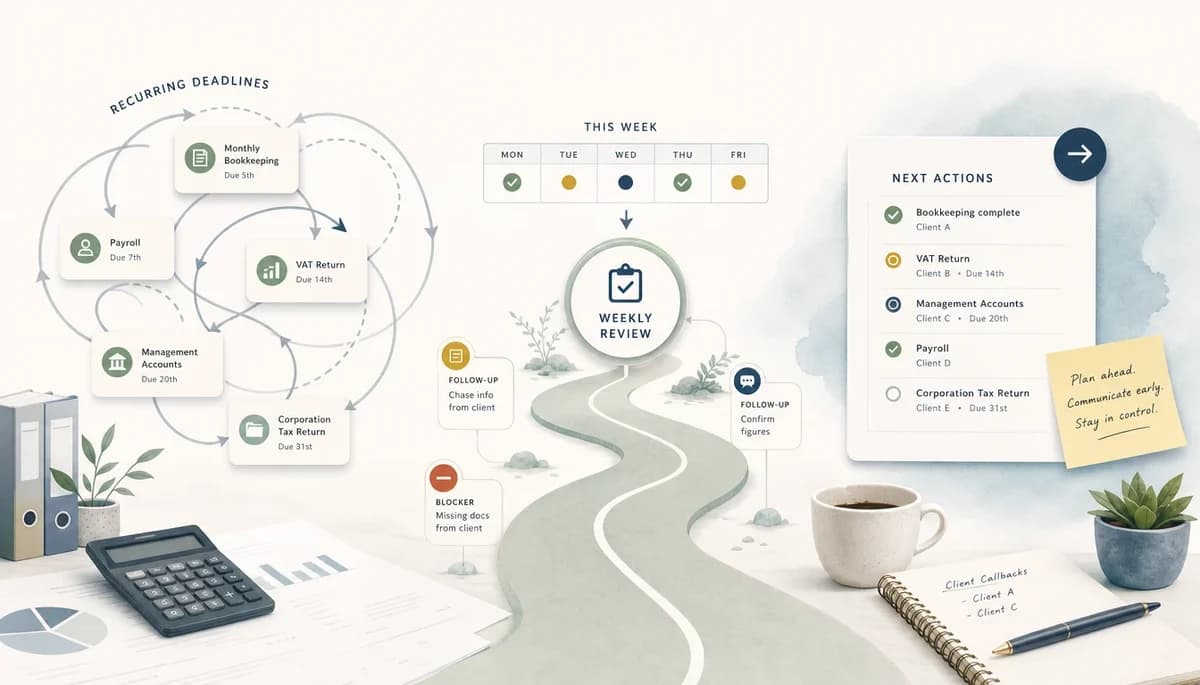
On this page8 sections
If you manage recurring client deadlines, the hard part is rarely knowing the filing date. It is stopping follow-ups, blockers, and half-finished queries from slipping between email, calendars, and your task list. A short weekly review gives you a calm way to see what matters now and turn vague obligations into clear next actions.
1. Use due date tracking software for accountants from the portfolio view


Your week goes better when you start from the whole portfolio, not the noisiest inbox thread. A proper review shows you what is due this week, what is coming next, and what is already drifting.
Open your tracker grouped by due date and work type so you can scan indirect tax, payroll, accounts, and returns in one pass. If you built the reusable structure in Part 2, this is where it starts to pay off.
I have found that due date tracking software for accountants is only useful when it changes what you review first. If Monday starts with a view of all near-due client work, you stop reacting to whoever chased last and start protecting the deadlines that affect your reputation.
Pro tip: Save one weekly review view that shows due this week, due next week, and overdue items side by side.
2. Separate deadlines from next actions
A deadline tells you when something must land, but it does not tell you what you should do next. That gap is where work becomes vague, heavy, and easy to avoid.
For each urgent or near-due item, add one visible subtask that names the next useful move. In dypt, that might be request bank statements, reconcile branch cash, review prior-year adjustments, update client on delay, or roll forward payroll checklist.
A task called chase client or do accounts does not help much on a busy Wednesday afternoon. A task called email Sarah for missing March invoices does, because you can act on it at once and move the job forward without more thinking.
Pro tip: If you cannot name the next action in one line, the parent task is probably still too big and needs another level of subtasks.
3. Review blocked work before it becomes urgent


Blocked work is where small deadline problems turn into client problems. A weekly review gives you time to spot stuck items while there is still room to fix them.
Look for work marked waiting on client, waiting on bank feed, waiting on internal review, or blocked by another task. Use dypt dependencies when one task genuinely unlocks another, especially where the same missing step affects several branches of work.
For example, a set of management accounts might be waiting on stock figures from one site, while the tax estimate depends on those same numbers. If you record what is missing and when you last followed up, you can send a measured nudge now instead of an apologetic message later.
Pro tip: Add the date of the last follow-up to the blocked task note so you do not have to search your inbox to work out what happened.
4. Use notes and note templates to preserve context


Good notes save you from re-reading long email threads every Friday. They also make it much easier to pick work back up after a meeting, a day off, or a month-end rush.
Keep missing information, follow-up history, review points, and client quirks beside the task itself. In dypt, note templates work well for repeat patterns such as a missing records request, a client query summary, an internal review note, or a blocker summary.
This matters most when you carry lots of small recurring jobs at once. If one client always sends CSV exports in an odd format or another needs a reminder before approving payroll, that context should live with the task, not in your memory.
Pro tip: Create short note templates with prompts like what is missing, last contact, and next check date so every review note stays consistent.
5. Decide what moves this week, what waits, and what repeats
A review is only useful if it ends with decisions. By the end, each active item should be clearly moving, clearly waiting, or clearly ready for its next cycle.
Sort each item into a small set of outcomes: do now, scheduled for later, waiting, delegated outside dypt, or ready to roll forward. If the same pattern comes back every week or every month, use recurring tasks so you are not rebuilding the same structure from scratch.
Think about a weekly payroll run or a monthly CIS return. Once the task tree and notes pattern are right, you can repeat the process, keep control of the next actions, and leave work feeling organised enough to switch off at home.
Pro tip: When something is delegated outside dypt, add a note with the person, the handoff date, and what you expect back.
6. Keep the review from becoming another spreadsheet
The best weekly review is light enough that you will actually repeat it. As soon as it turns into a field-heavy admin exercise, it stops helping and starts getting skipped.
Do not add fields nobody checks, and do not keep status labels that never change the next action. Trim stale branches, archive dead work, and only roll forward structure that still helps you decide what to do next.
I have seen trackers become harder to use than the work they were meant to organise. If you remove clutter each week, your review ends with fewer open questions and a clearer plan instead of one more complicated sheet to maintain.
Pro tip: If a custom field or status has not changed a decision in the last two reviews, delete it.
Wrapping up
The weekly review is where your tracker earns its keep. Good due date tracking software for accountants should show what is due, what is blocked, what changed, and what you should do next without making you manage a mini practice system. If your current due date tracking software for accountants cannot support that weekly decision, the process will keep falling back into memory and inbox searching.
One extra habit helps here: keep a small parking lot note for ideas that pop up during the review but do not belong in that session. It stops you getting sidetracked while still capturing useful thoughts for later.
More resources
If you want a practical starting point, copy the accountant deadline tracker and then look at Recurring tasks and Task notes for the exact pieces used here. If you are joining this series mid-way, Part 1 explains why the tracker matters, Part 2 covers how to build it, and Part 4 will cover using dependencies and handoffs to stop blocked accounting work disappearing. You can start using dypt for free when you are ready to try the workflow yourself.